
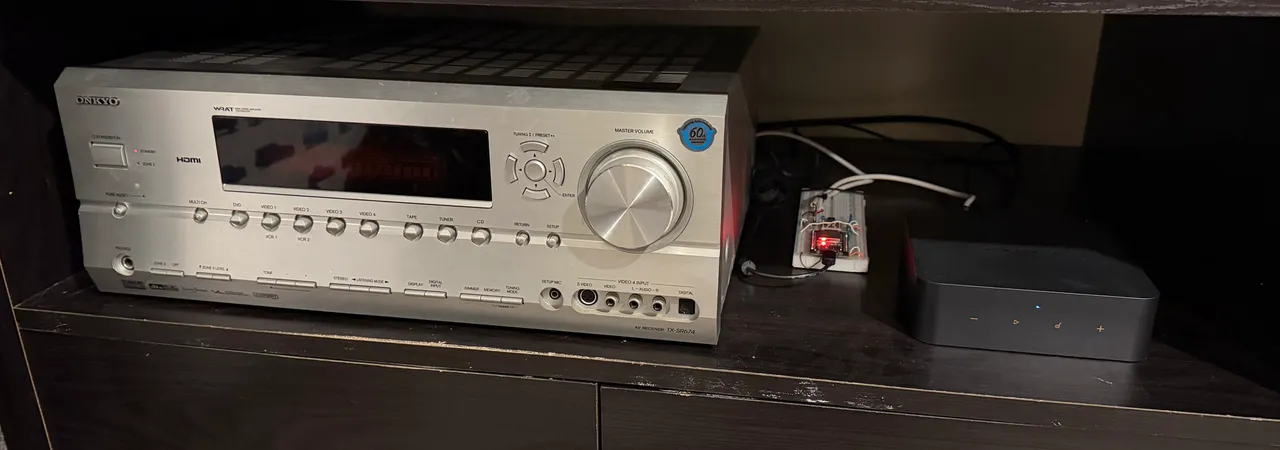
I have an old Onkyo AV receiver from the mid 2000s in my office that I use for listening to tunes as I work. I have recently upgraded the input source from an original Chromecast Audio to a much more capable WiiM Streamer Pro Plus so I can get more streaming protocol support, lossless audio codec support, room correction/parametric EQ support, etc and just generally a lot higher quality DAC.
This setup means I do all of the audio processing with the WiiM, then send an already corrected analog audio signal over to the Onkyo, which is essentially just being a power amp taking the input signal and making it louder. There is one “problem” (in a very minor sense) in that the WiiM (being network controlled) powers up as soon as a stream is sent to it, but the Onkyo does not. I have to turn that on myself in the morning (the horror!), which sounds like a job for … ✨overly complicated automation!✨
The plan
So, my goals for this project are pretty simple:
- Turn the Onkyo on and off in sync with the WiiM
- Be able to control the Onkyo from Home Assistant
The WiiM has a feature that the Chromecast Audio did not, a 12V trigger output. These are pretty common on hifi components and used to trigger downstream devices power. Unfortunately the Onkyo receiver does not have a standard 12V trigger input, but what it does have is a proprietary signalling protocol called Onkyo RI. Surely, I thought, someone has reverse engineered this protocol and figured out how to hack it… and yes, credit to this goes to nuxx.net and a number of other folk who figured the protocol out and added it to ESPHome.
The ESP32 Onkyo RI Bridge
I happened to have a spare ESP32 based dev board I had for another project that I had forgotten about, and the software side of things looked pretty promising, so it was time to start searching and learning about the electronics side of things.
I landed on the following list:
- ESP32 dev board (flashed with ESPHome) for network control and logic
- A Logic Level Converter Module for converting between the 3.3V of the ESP32 board and the 5V of the Onkyo RI port
- An Optocoupler (plus a 1kΩ resistor) for safely detecting the 12V input signal and providing electrical isolation between the two main components
- 3.5mm and 2.5mm mono audio jacks plus cable
- A breadboard and solid core wire to assemble the whole thing
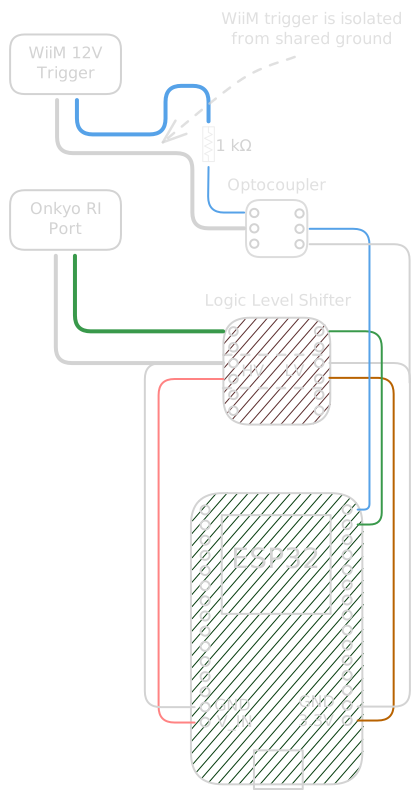
And a handy diagram to show how everything connects together
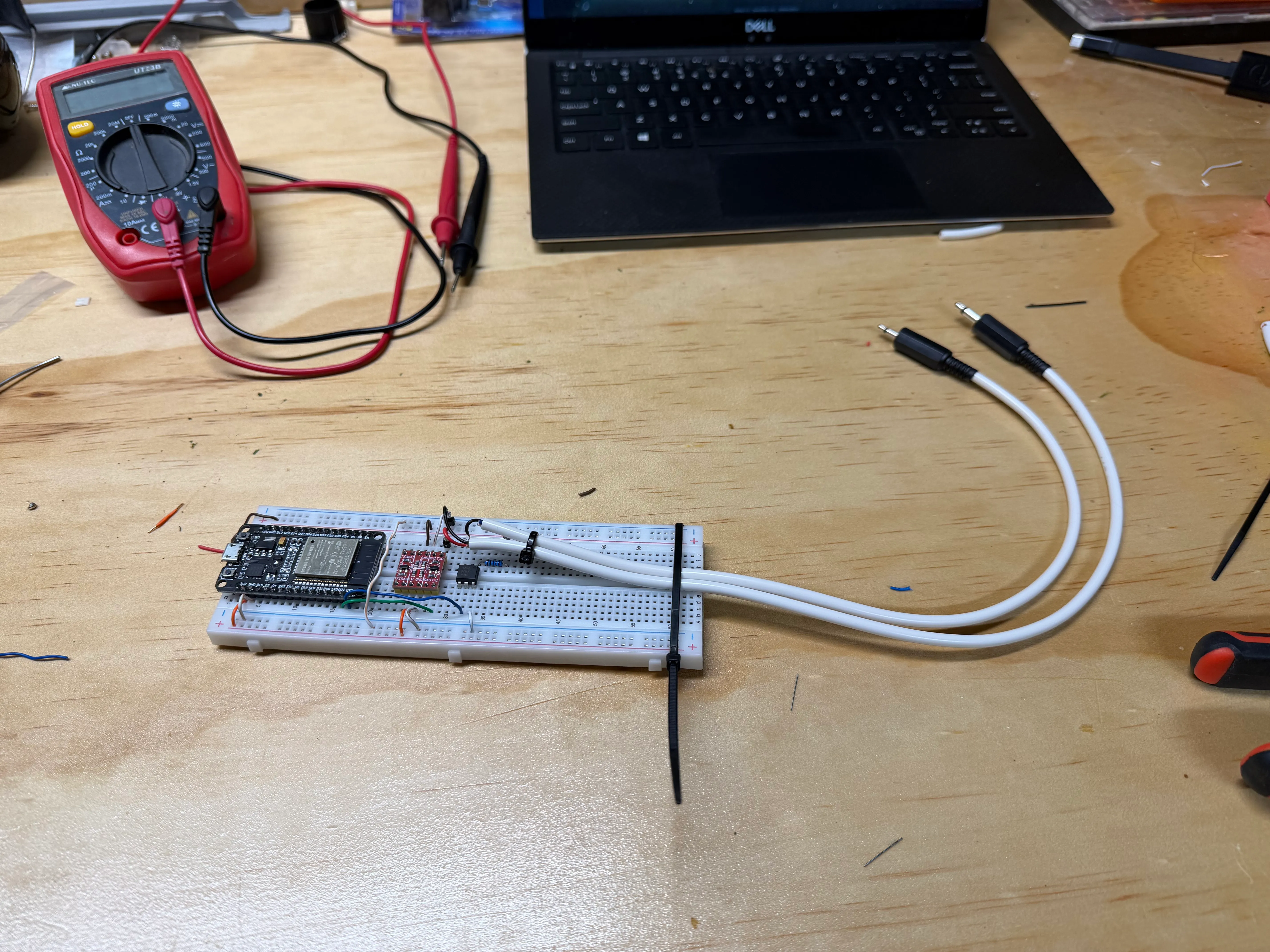
Putting it all together I ended up with this:
Input
The WiiM provides a basic 12V DC output via a 2.5mm jack for a trigger, it’s providing 12V when the WiiM is on, 0V when it’s off. Running this through a 1kΩ resistor drops that voltage from 12V down to 1.2V, which is enough to safely power the LED side of the optocoupler. The photoresistor side of the optocoupler grounds a GPIO pin on the ESP32 board that has been configured with a pullup resistor. When the circuit is open/floating, the voltage on that pin will be at 3.3V (or HIGH) and when the photoresistor sees light from the LED, the circuit will close and drag the pin down to ground (or LOW). A simple inverted: true in the ESPHome code inverts the signals so we can represent LOW as ON and we have ourselves an input binary sensor:
binary_sensor:
  - platform: gpio
    id: wiim_trigger
    name: "WiiM 12V Trigger"
    pin:
      number: GPIO23
      inverted: true
      mode:
        input: true
        pullup: true
Output
The output side is a bit more complicated since it’s not as simple as raising a corresponding voltage for the Onkyo. We need to use its RI protocol which uses a time based, 12bit message (explained on Fred’s web site). This is where the logic level converter module comes in, since the ESP32 operates at 3.3V and the Onkyo at 5V, we use this handy component to boost (or drop) the voltage so we can safely connect it to another GPIO pin. The logic level converter takes a low voltage reference from the 3.3v ESP pin and a high voltage reference from VIN, which is 5V from the USB connection.
The next challenge is then finding the actual message data to send, there is a very helpful reference in this docbender/Onkyo-RI repo, which I used with some trial and error to figure out which messages to send (my specific model isn’t listed).
Getting the format right is covered on the nuxx.net page, where the author has also contributed a PR back to ESPHome (although it was not merged for reasons that are unclear) which extends the remote_transmitter module to allow for the correct signal timing.
After including that, it’s a case of adding a switch that sends the correct signals for on and off:
external_components:
  # Pulls the Onkyo RI component directly from the active ESPHome pull request
  - source: github://pr#7117
    components: [remote_base]

remote_transmitter:
  - id: onkyo_ri
    pin: GPIO22
    carrier_duty_percent: 100%

switch:
  - platform: template
    id: onkyo_power
    name: Onkyo Power
    icon: "mdi:power"
    restore_mode: RESTORE_DEFAULT_OFF
    optimistic: true
    turn_on_action:
      - remote_transmitter.transmit_onkyori:
          data: 0x2F # Power on and select CD
    turn_off_action:
      - remote_transmitter.transmit_onkyori:
          data: 0x1A0 # Switch to VIDEO3
      - delay: 100ms # Give the receiver time to switch inputs
      - remote_transmitter.transmit_onkyori:
          data: 0x1AE # Power off (from VIDEO3)
For reasons unknown to me, the only way to turn the Onkyo off is if it has been changed to the VIDEO3 input, no other input works, which is why it switches to that input first as part of the
turn_off_action.
The home automation integration
With the binary sensor and switch defined, we now have integration into Home Assistant! I can see the status of the WiiM (along with its native integration) and I can also control the Onkyo directly from Home Assistant, huge win 🎉
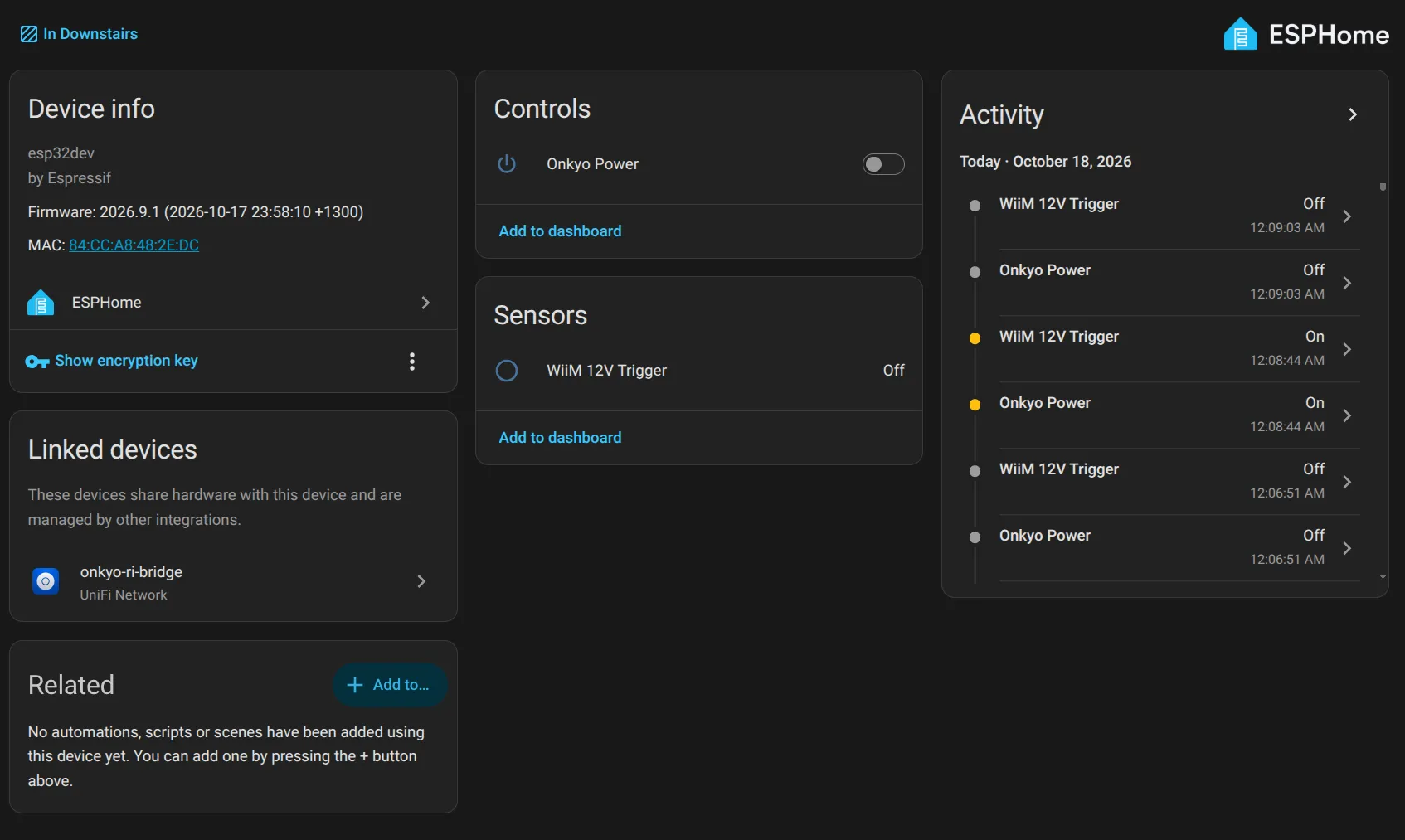
This definitely satisfies the second goal of being able to control the Onkyo from within Home Assistant, but we still want to synchronize the power between the WiiM and Onkyo. We could do this with a simple Home Assistant automation, however we can also do this directly on the ESP32 without Home Assistant at all.
We just need to add some on_press and on_release triggers to the binary sensor to toggle the switch. Putting everything together, here is the full configuration for the Onkyo RI Bridge component:
# Board: Espressif ESP32 Dev Module
# Definition: definitions/boards/esp32dev/manifest.yaml

esphome:
  name: onkyo-ri-bridge
  friendly_name: Onkyo RI Bridge
  area: Downstairs

esp32:
  board: esp32dev

logger:

api:
  encryption:
    key: !secret api_encryption_key

ota:
  - platform: esphome

wifi:
  ssid: !secret wifi_ssid
  password: !secret wifi_password
  ap:
    ssid: Onkyo RI Bridge Fallback Hotspot
    password: !secret fallback_wifi_password

captive_portal:

binary_sensor:
  - platform: gpio
    id: wiim_trigger
    name: "WiiM 12V Trigger"
    pin:
      number: GPIO23
      inverted: true
      mode:
        input: true
        pullup: true
    on_press:
      then:
        - logger.log: "WiiM Trigger Active - Sending Onkyo Power On"
        - switch.turn_on: onkyo_power
    on_release:
      then:
        - logger.log: "WiiM Trigger Inactive - Sending Onkyo Power Off"
        - switch.turn_off: onkyo_power

external_components:
  # Pulls the Onkyo RI component directly from pull request
  - source: github://pr#7117
    components: [remote_base]

remote_transmitter:
  - id: onkyo_ri
    pin: GPIO22
    carrier_duty_percent: 100%

switch:
  - platform: template
    id: onkyo_power
    name: Onkyo Power
    icon: "mdi:power"
    restore_mode: RESTORE_DEFAULT_OFF
    optimistic: true
    turn_on_action:
      - remote_transmitter.transmit_onkyori:
          data: 0x2F # Power on and select CD
    turn_off_action:
      - remote_transmitter.transmit_onkyori:
          data: 0x1A0 # Switch to VIDEO3
      - delay: 100ms # Give the receiver time to switch inputs
      - remote_transmitter.transmit_onkyori:
          data: 0x1AE # Power off (from VIDEO3)
I’m quite pleased with the result, not exactly a big time saver in the grand scheme of things, but it is very satisfying to integrate the old and new components!